Redirect visitors
A plain stack of buttons sends attention somewhere else. If your old website no longer reflects your work, sharing it can feel uncomfortable.
Build around your business
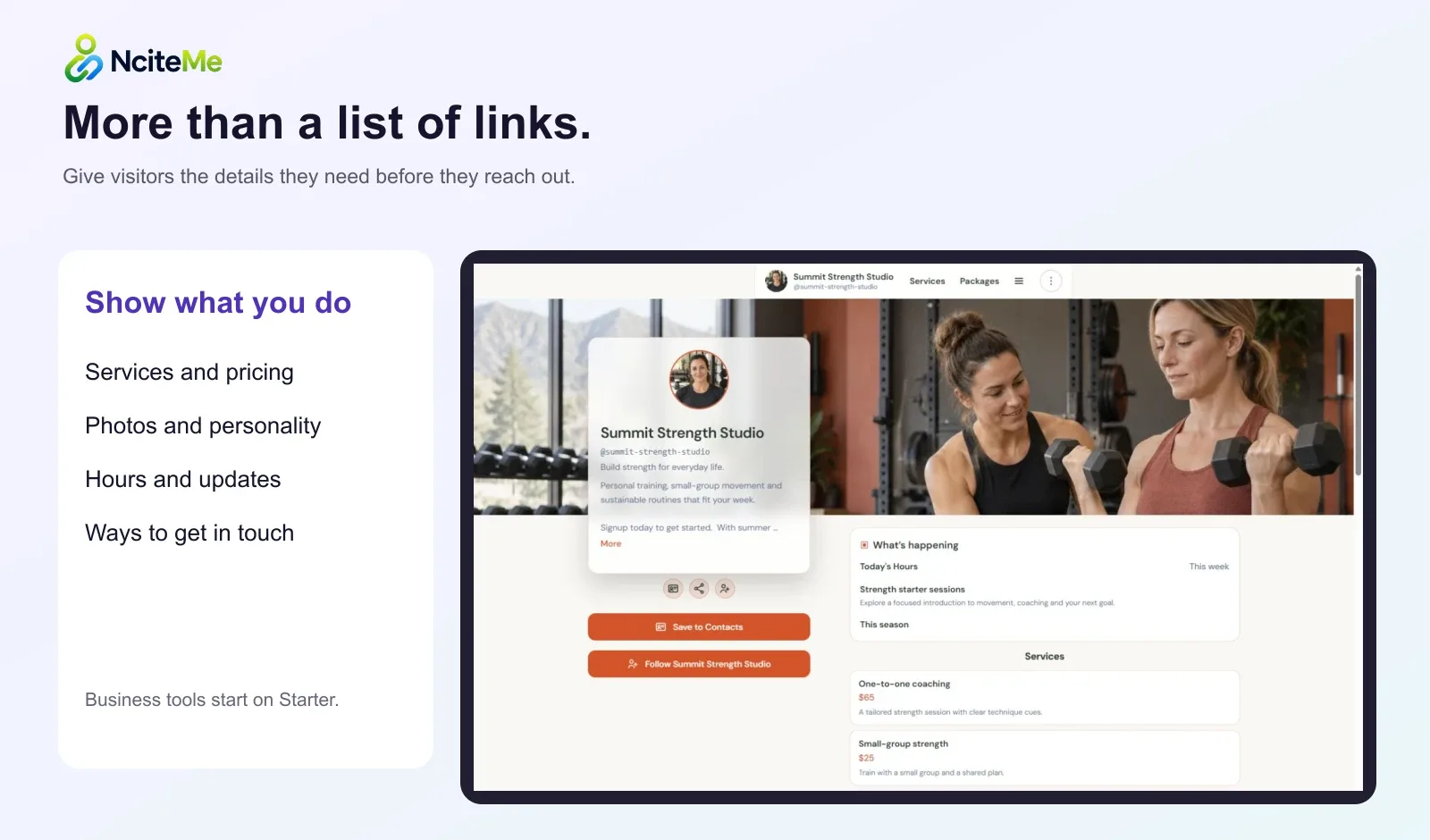
A NciteMe Smart Bio is a page for your work, services and visitor actions. Show services, share your work, collect inquiries, and see what gets a response. Available features depend on your plan.
Build my page →Beyond link in bio
Keep the simplicity of one URL, then add the useful parts of a real website and connect what happens next.
A plain stack of buttons sends attention somewhere else. If your old website no longer reflects your work, sharing it can feel uncomfortable.
Give every visitor the right content and a useful next step.
Measure first-party activity across pages, links, forms, and QR codes.
If you only need a list of links, a simple link page may be enough. Choose NciteMe when visitors also need your services, photos, hours, or a way to contact you.
Want your page to carry your brand instead of advertising someone else’s? Compare plans for branding removal and custom-domain support. Use separate pages for different roles or audiences, all managed in one account.
Keep the one link. Give visitors more to do.
Four ways to start
Use the guided wizard, open the live editor, start from a finished template, or have Claude or ChatGPT interview you and return a preview.
Answer a few questions about your audience and what visitors should do. NciteMe assembles the first page, then you can change anything.
Start this way →Open a blank canvas and add blocks, colors, and photos while the page updates in front of you.
Start this way →Browse finished pages in the showcase, open one you like, and make it yours.
Start this way →Choose Claude or ChatGPT. The setup page shows that assistant's own settings and connector address. Add it there, start a new chat, and claim the preview. Do not paste the connector address into the chat.
See how to connect →YOUR WEBSITE, REBUILT FOR HOW PEOPLE CONNECT TODAY
A NciteMe Smart Bio gives you the professional presence of a modern website while making it easier for visitors to take action from the device already in their hands.
They can call, email or message you, open directions in their preferred map, save your contact information, book an appointment, complete a form, view products and services, or share your page—all directly from their phone or computer.
Connect your custom domain, update your site from your phone, and see which links, QR codes, social platforms and campaigns bring people to you.
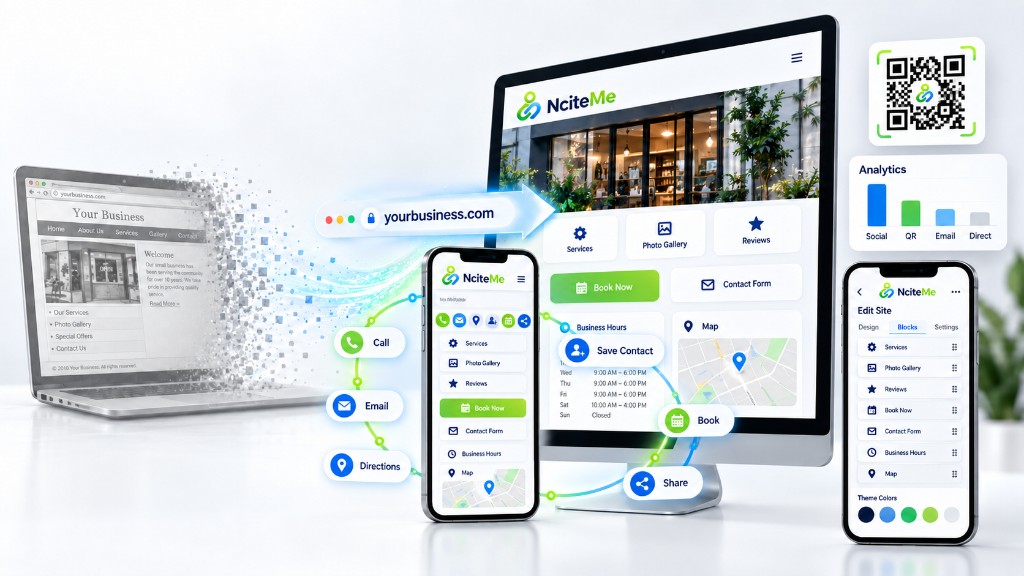
Traditional websites were built mainly to be viewed. Your Smart Bio is built to help visitors act.
Your Smart Bio also adapts into a polished tablet or two-column desktop website—so visitors receive the right experience on every screen.
One page. Every screen.
Keep it fast and focused on mobile. On wider screens, the same profile expands into a richer two-column mini-site—using the same content and URL.

Designed to feel like yours
Shape the profile around your brand and your content. Set the hero image and the bio card that sits over it on mobile, choose colors and typography, and arrange your portfolio and content blocks. Easily update your profile with the live editor at any time.
Resize the header, choose the image focus, and control the fade into the page.
Arrange a portfolio, services, and other content blocks in the order visitors need them. Portfolio and most business blocks start on Starter.
Refine themes, typography, icons, spacing, and block treatments without rebuilding the page.

Explore all 50 content blocks
Choose a block, then change its settings beside the finished example. Your preview updates as you edit.
Examples use fictional content. Available blocks depend on your plan. Forms, votes, purchases and connected services are demonstrated without submitting or connecting an account.

Know which sign, email, or post brought them in
Sharing one connected profile is only the beginning. Ncite shows you how people discover your Smart Bio, which links and content earn their attention, and which visits become leads, bookings, contact saves, downloads, and inquiries.
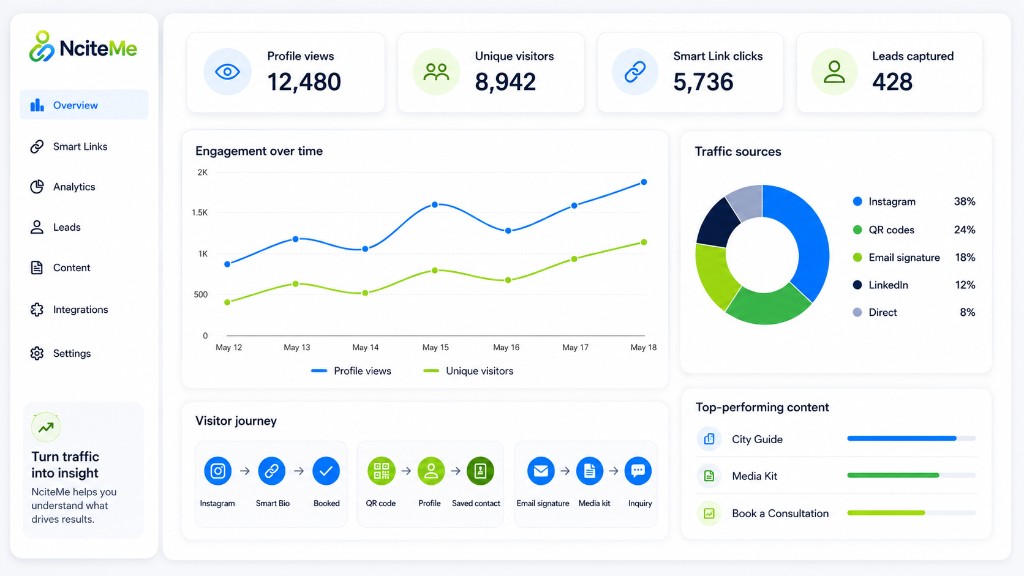
See whether visitors came from Instagram, LinkedIn, an email signature, a QR code, a campaign, or another tracked source.
Track profile views, unique visitors, Smart Link clicks, social taps, contact saves, follows, downloads, and form activity.
Compare your links, content blocks, services, products, listings, events, media kits, and calls to action to learn what people respond to.
Connect the path from traffic source to profile visit to meaningful action—not just another disconnected click count.
A plain link-in-bio tells you someone clicked. Ncite helps you understand why they arrived, what interested them, and what they did next.
One connected toolkit
A polished profile for who you are and what you do.
Links, media, services, products, events, and proof.
Forms, polls, funnels, offers, downloads, and booking.
First-party activity across pages, links, and QR codes.
Build around what you need
Start with a clean Smart Bio, then add the blocks that make your page genuinely useful. Keep it simple—or build a complete mini-site.
Build my page →Text, video, portfolio, gallery, featured content, products.
CTA, booking, offer, waitlist, newsletter, download, lead form.
Reviews, transformations, FAQs, media kits, press, social proof.
Services, menus, hours, maps, teams, amenities, and events.
Profile QR, email signature, and tracked social links—built into every profile.
Updates, polls, countdowns, collaboration, and follow activity.
Send visitors directly—or collect a lead, ask a question, or guide them through a focused funnel first.
A smarter next step
Update campaigns without changing the URL in your bio or reprinting the QR code. Every route stays connected to the same analytics.
Explore Smart Links →Be ready when they ask for more
Give sponsors, journalists, partners, and prospective clients a professional page with the information they need.
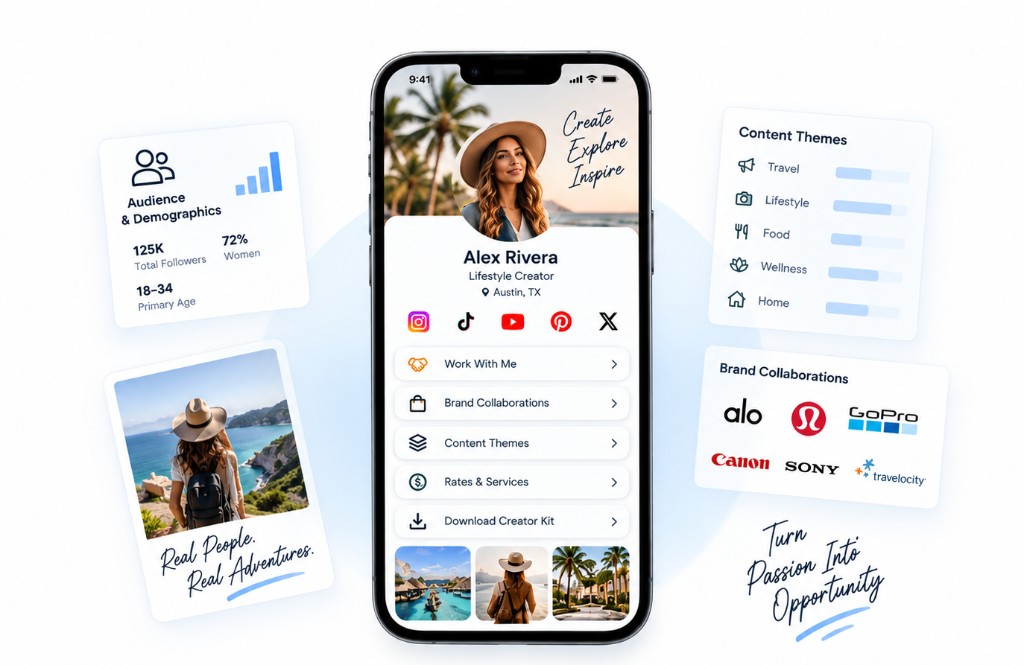 Creator kit
Work samples, content themes, collaborations, deliverables, and contact. You choose what to show.
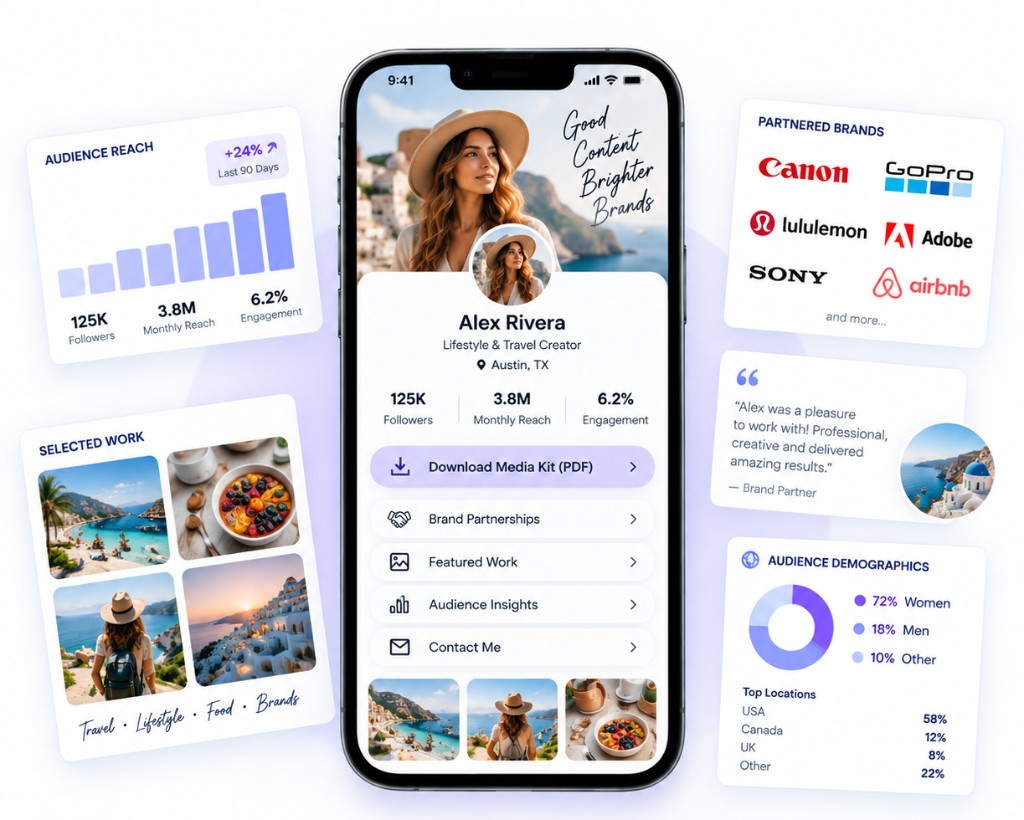 Media kit
Selected work, testimonials, and first-party results you choose to show. Ncite does not import verified social audience numbers.
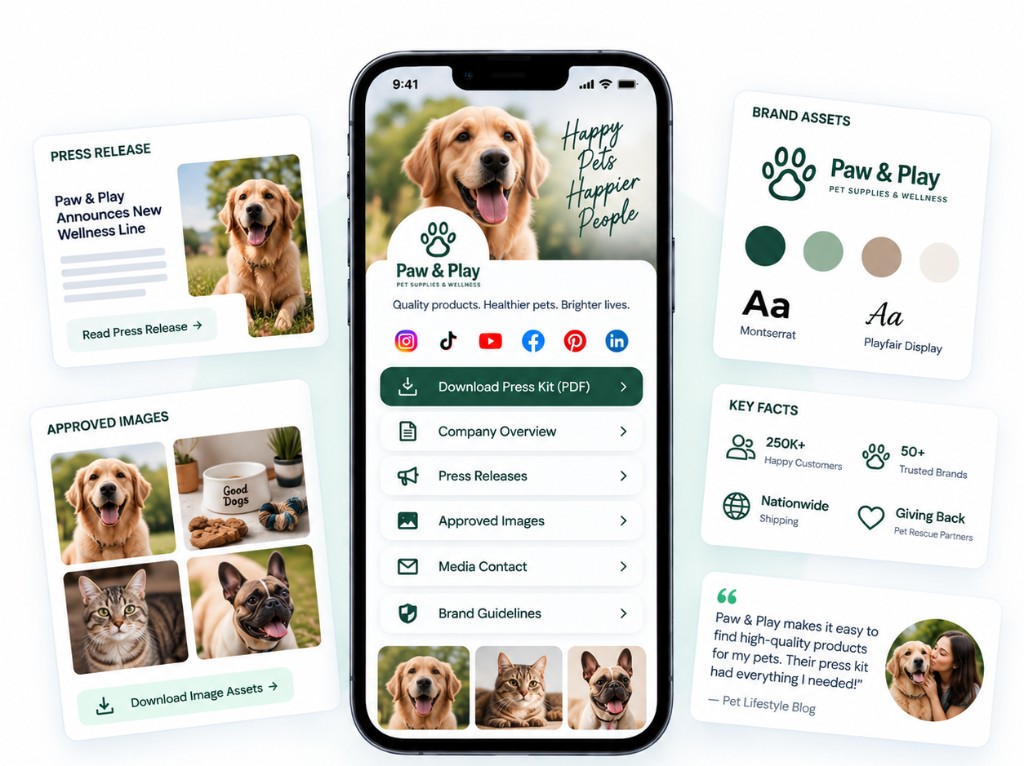 Press kit
Bio, approved images, facts, press mentions, downloads, and inquiry.
Keep your domain. Update from your phone.
Publish services, menus, prices, hours, maps, events, reviews, offers, booking, and lead capture. Update the page when the business changes—not when a developer has time.
Menu · hours · events · directions
Consultations · services · lead capture
Offers · updates · reviews · contact
BUILD YOURS NOW
Step through the guided profile wizard and watch Ncite create a page around what you do. Or jump directly into the live editor and explore the full experience yourself—no design or coding experience required.
Tell us who you are, who you want to reach, and what visitors should be able to do. We’ll recommend the right layout, content blocks, and next steps.
Build my page →See your result before creating an account.
Click directly on a working profile to change its content, design, layout, images, blocks, and responsive appearance.
Try the live editor →Interactive demo—nothing you change affects a real page.
Build it. Preview it. Make it yours. Publish when you’re ready.
Your page. Your links. Your next step.
Show your work, collect inquiries, and see what works.