NciteMe · Marketing Library
NciteMe Marketing Library
Your website. Your bio page. One link.
Easily update your profile with the live editor at any time.
Approved ads, device mockups, and product marketing images for NciteMe. A Smart Bio works as the mobile bio page and the desktop business website. The example businesses are fictional, and a free preview does not include every block shown in an example.
Build your free preview
Smart Bios: a page people can use
A Smart Bio is the public page: profile photo, header image, name, bio, contact options, and content blocks. It can introduce a person, creator, business, brand, or side project. Visitors can explore the work, read services and prices, find hours, and use the contact options on the page.
Profiles and personas
A profile is the main public identity. Personas are additional pages under that account for different audiences. Profile and persona counts depend on the plan.
Content blocks
Pages are built from sections: galleries, services, menus, hours, updates, events, inquiries, and links to booking or ordering. Free includes a simple bio page. Starter, Pro, and Business add more block types. The pricing page is the current list.
Example profiles
Personal training
Show training services, packages, hours, and an easy way to inquire.
View the live example
Landscaping
Show your work, explain your services, and help homeowners send an inquiry.
View the live example
Hair salon
Put styles, service prices, and contact options on one polished page.
View the live example
Pet services
Help pet owners explore care services, packages, and ways to get in touch.
View the live example
Auto detailing
Show the finish, explain your packages, and make inquiries easy.
View the live example
Bakery
Bring bakes, specials, hours, and inquiries together.
View the live example
DJ and entertainment
Show your sound, services, and event inquiry options.
View the live example
Creative studio
Show your craft, explain your offerings, and invite people to connect.
View the live example
Photography
Bring your portfolio, services, and inquiries together.
View the live example
Food truck
Share your menu, hours, and next stop from one page.
View the live example
Home services
Put services, hours, and inquiries in one place.
View the live example
Approved ads and images
1 asset · Clear filters
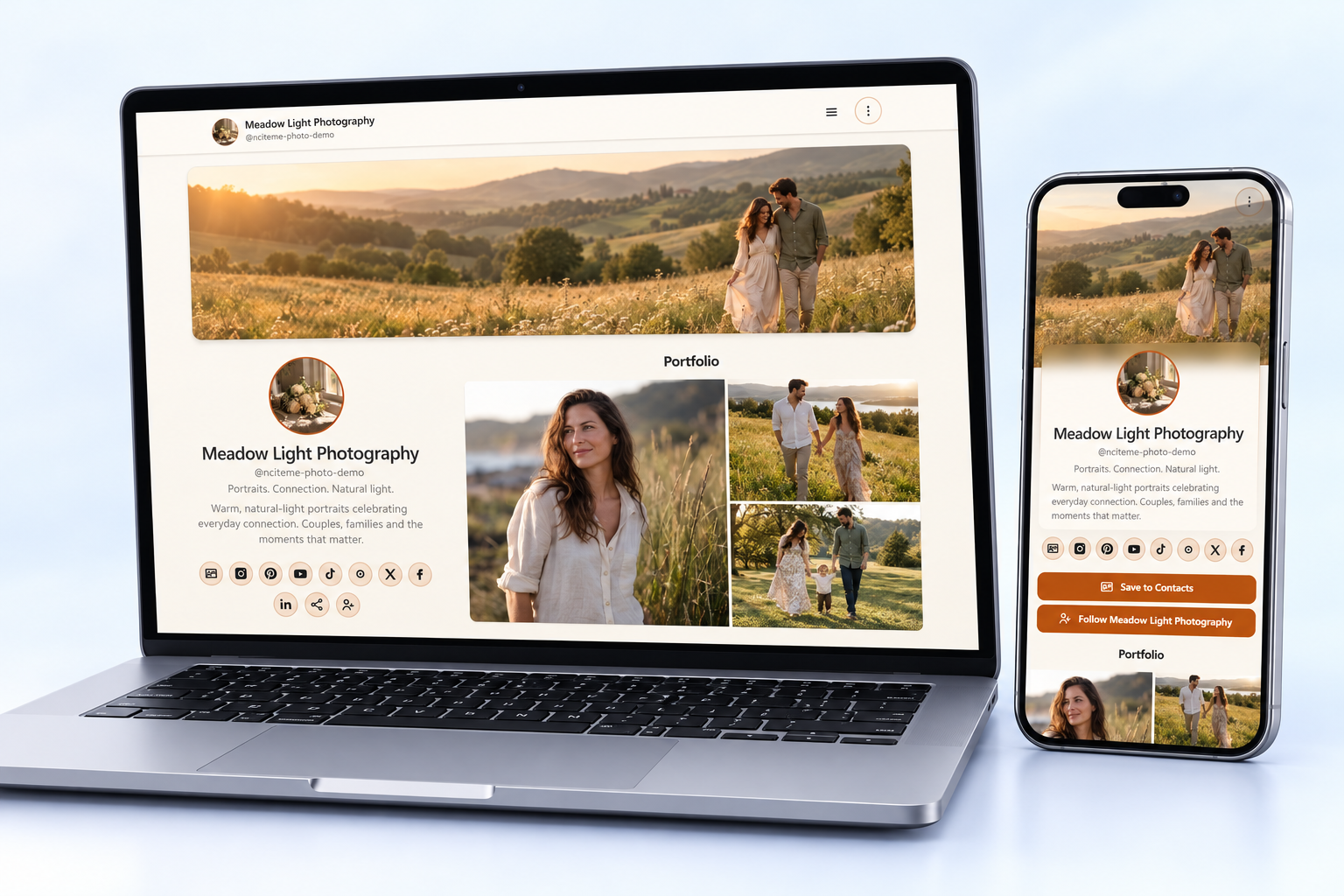
 Meadow Light Photography
Photography example showing a desktop website and mobile Smart Bio with the profile's own imagery and design.
Ad angle: Show how a photography business can bring its profile and content together in one link.
AI-rendered device mockup using actual screen references
- Photography
- Smart Bio
- desktop website
- mobile profile
- content blocks
View Meadow Light PhotographyDownload
Tools can read the same approved list as JSON at /marketing-library/feed.json or as Markdown at /marketing.md. It supports the same filters. Each asset keeps its stable public file URL and descriptive filename. Listing here does not grant a redistribution license.
Ways to create
Use the live editor, start from a showcase example, or walk through the wizard. A supported AI connector can help draft a page. Review the draft before claiming it. The method images are labeled workflow illustrations, not completed connector captures.
From an idea to your own page
Share the same page
QR codes, email signatures, and vCards point people at the page. Smart Links and polls are separate tools, and their limits depend on the plan.
Lead webhooks
Pro and Business can send a new lead to Make, Zapier, or another HTTPS receiver with a Generic webhook. The event is lead.created. Contact fields are data.name, data.email, data.phone, and data.message. This is not a native Zapier or Make app.